
You can restart VPS via the command line or SolusVM.
How to Reboot/Restart a VPS via SolusVM?
1. Log in to your SolusVM Control Panel.
2. If you have multiple VPSs, select the appropriate one.
3. Click on Reboot.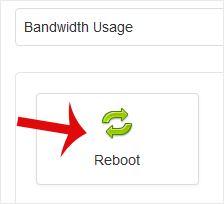
4. Choose Yes to confirm.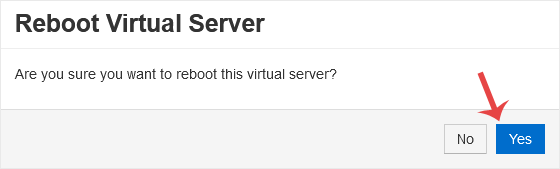
It may take some time to reboot. Then, it will display the message.
How to Reboot/Restart a VPS via Command Line?
1. Log in to your SSH Client.
2. Enter the command shutdown -r now.
Once you execute the command, it may take some time for the VPS to reboot. If the VPS does not come online after 5 to 10 minutes, we advise you to reboot it from SolusVM.
- Home
-
Store
- Browse All
- -----
- License Reseller account
- cPanel WP Square License
- cPanel License
- Plesk Web HOST License
- Directadmin License
- Webuzo Licensing System
- AaPanel Licensing System
- CloudLinux License
- LiteSpeed License
- Virtualizor License
- KernelCare License
- Whmcs License
- DaReseller License
- WHM Reseller License
- JetBackup License
- Softaculous License
- Imunify360 License
- Sitepad License
- CPNginx Licensing System
- Lifetime Licenses
- Osm Licensing System
- CXS Licensing System
- Backuply Licensing System
- WhmXtra License
- Trial Licenses
- Register a New Domain
- Transfer Domains to Us
- Announcements
- Knowledgebase
- Network Status
- Affiliates
- Contact Us
-
More
