
ÂÂÂ
You can create a database in Plesk by following this tutorial.
ÂÂÂ
1. Log in to your Plesk account.
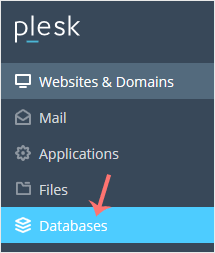
2. Click on Databases from the Sidebar Menu.
ÂÂÂ
3. Click on Add Database.

ÂÂÂ
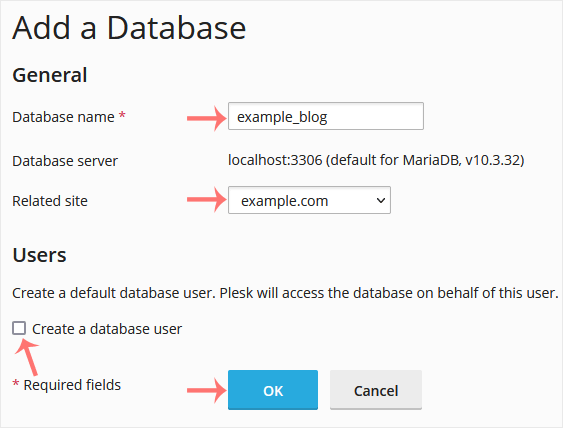
4. Under Add a Database, fill in the following details:
Database Name: Your database name, such as blog.
Related Site: Choose an appropriate website from the drop-down menu.
Users: Uncheck Create a database user, and confirm with OK.
ÂÂÂ
A success message will be displayed, indicating that your database has been created.
ÂÂÂ
