
ÂÂÂ
1. Log in to your Plesk account.
ÂÂÂ
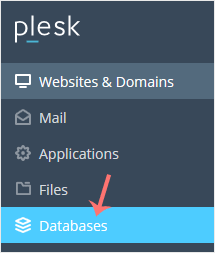
2. Click on Databases from the Sidebar Menu.
ÂÂÂ
3. Choose the database you want to remove from the list of databases.

ÂÂÂ
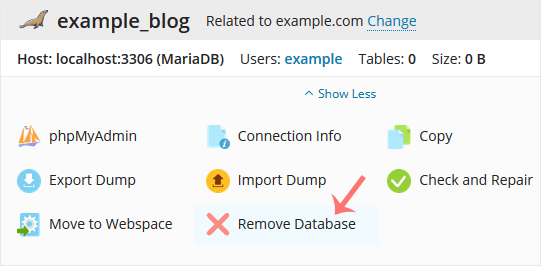
4. Proceed with Remove Database. A confirmation box will appear. Confirm with Yes.
ÂÂÂ
Your database will be removed.
