
ÂÂÂ
If you can access your Virtualizor VPS control panel, you can easily change your Virtualizor password. We recommend you to change the password frequently and use a strong one.
ÂÂÂ
1. Log in to your Virtualizor Control Panel.
ÂÂÂ
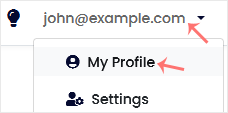
2. From the top right-hand side, click on Username and navigate to My Profile.
ÂÂÂ
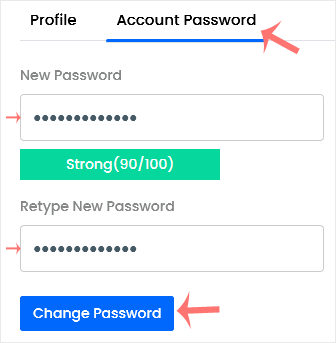
3. Click on the Account Password tab. Enter your new password and then click on Change Password.
ÂÂÂ
